> ## Documentation Index
> Fetch the complete documentation index at: https://winglessenterprises.mintlify.site/llms.txt
> Use this file to discover all available pages before exploring further.
# Home Screen Widget
> See your packing progress at a glance from your iPhone home screen.
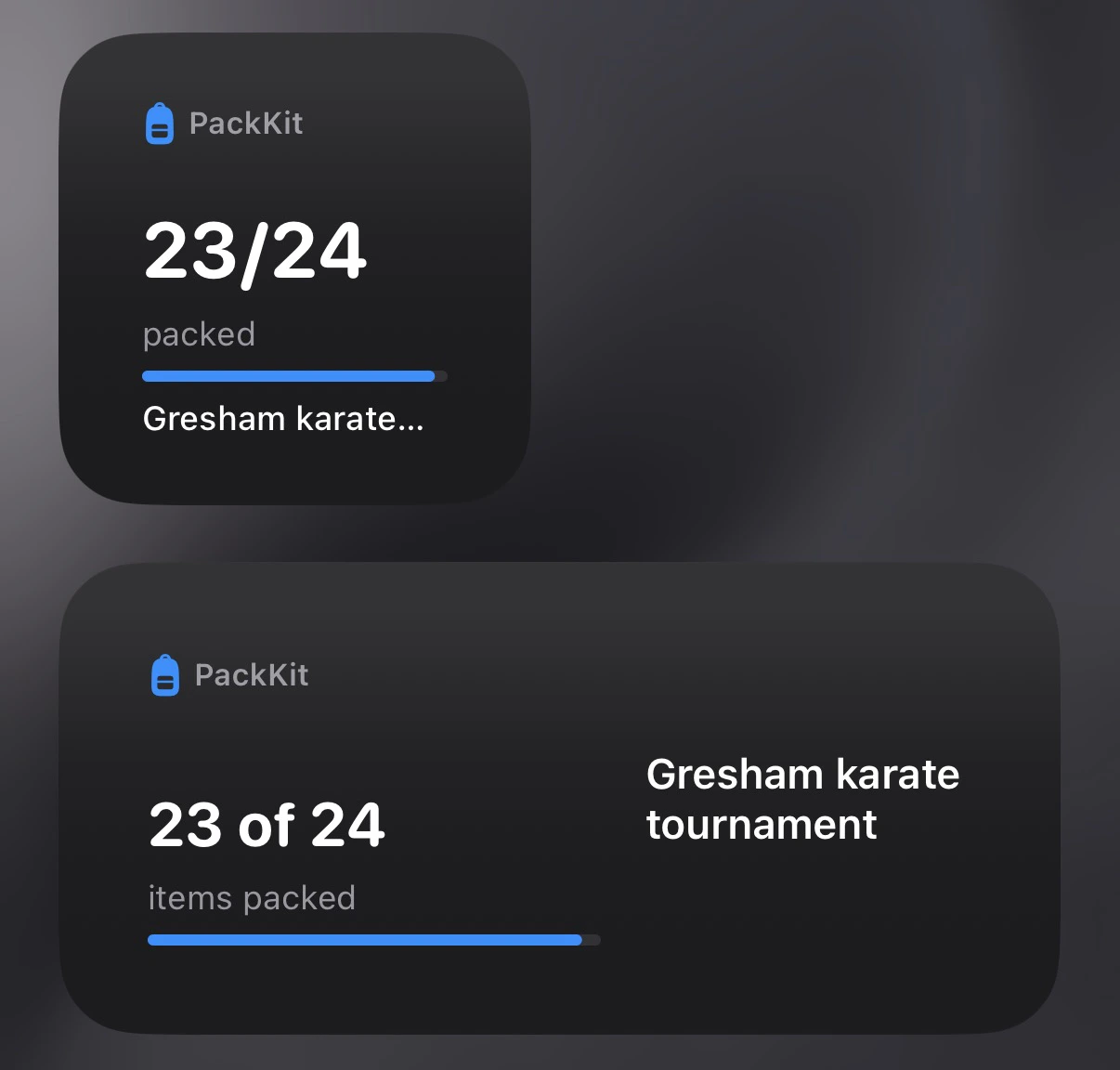
The PackKit widget shows live packing progress for your active trip directly on your iPhone home screen — no need to open the app.
The home screen widget is **iOS only** and requires a **Pro subscription**.
***
## What the Widget Shows
| Element | Description |
| ------------------ | ---------------------------------------------------------- |
| **Trip name** | The name of your currently active trip |
| **Packed count** | How many items are packed out of the total (e.g., 12 / 20) |
| **Progress bar** | A visual fill bar showing your overall packing percentage |
| **Departure date** | Your trip's start date |
The widget reflects your current packing state and updates as you check items off in the app.
 ***
## Adding the Widget to Your Home Screen
1. On your iPhone, long-press an empty area of the home screen until the icons jiggle.
2. Tap the **+** button in the top-left corner.
3. Search for **PackKit**.
4. Choose the **small** or **medium** widget size.
5. Tap **Add Widget**, then drag it to where you want it.
6. Tap **Done**.
The widget activates automatically once you have an active trip and a Pro subscription.
***
## Widget Sizes
| Size | What it shows |
| ---------- | --------------------------------------------------------- |
| **Small** | Trip name and progress bar |
| **Medium** | Trip name, packed count, progress bar, and departure date |
***
## Troubleshooting
**Widget shows "No active trip"** — Make sure you've set a trip to **Active** status. Only one trip can be active at a time. See [Trips & Templates](/trips-and-templates#trip-status) for how to change a trip's status.
**Widget isn't updating** — iOS controls how frequently widgets refresh. Open the PackKit app briefly to prompt an update.
**Widget not available** — Confirm you have an active Pro subscription. See [Settings](/settings#subscription) to check your plan.
***
## Adding the Widget to Your Home Screen
1. On your iPhone, long-press an empty area of the home screen until the icons jiggle.
2. Tap the **+** button in the top-left corner.
3. Search for **PackKit**.
4. Choose the **small** or **medium** widget size.
5. Tap **Add Widget**, then drag it to where you want it.
6. Tap **Done**.
The widget activates automatically once you have an active trip and a Pro subscription.
***
## Widget Sizes
| Size | What it shows |
| ---------- | --------------------------------------------------------- |
| **Small** | Trip name and progress bar |
| **Medium** | Trip name, packed count, progress bar, and departure date |
***
## Troubleshooting
**Widget shows "No active trip"** — Make sure you've set a trip to **Active** status. Only one trip can be active at a time. See [Trips & Templates](/trips-and-templates#trip-status) for how to change a trip's status.
**Widget isn't updating** — iOS controls how frequently widgets refresh. Open the PackKit app briefly to prompt an update.
**Widget not available** — Confirm you have an active Pro subscription. See [Settings](/settings#subscription) to check your plan.